

Iolo VPN
Up to $15 Cashback
2 Years Subscription
$15
1 Year Subscription
$10
1 Month Subscription
$3.50
Cashback timeline
Purchase
Tracked in
2 days
Confirmed in
75 days
Terms and exclusions
Refunds, cancellations and no-shows
Any rejected, cancelled, refunded, exchanged or returned purchases will not be eligible for Cashback.
Tracking disclaimers
- Your Cashback may be tracked at a different rate initially and adjusted to the correct rate when we confirm the transaction details.
Other terms and conditions

Never miss Cashback on Iolo VPN
Get instant alerts on Cashback when you shop online with the ShopBack extension.
Cashback tips
Check carefully for Cashback exclusions and caps before you buy or book to avoid disappointment. Don't forget the terms and conditions on any promotion and campaign pages.
Complete your shopping in one go: Always start from this platform to visit the store directly, for every new transaction. If your store visit is interrupted by an app update or download screen, restart your shopping from our platform.

Don't click on any third party links or extensions or use VPN or adblocking software, as they could result in your Cashback not being tracked. Some examples include: Facebook ads, Google Ads, other loyalty or cashback extension links.

For Iolo VPN, you need to clear your cart, close the Iolo VPN app, open this platform to visit the Iolo VPN app or website and complete your purchase there in order to earn Cashback. You need to do this for each purchase.
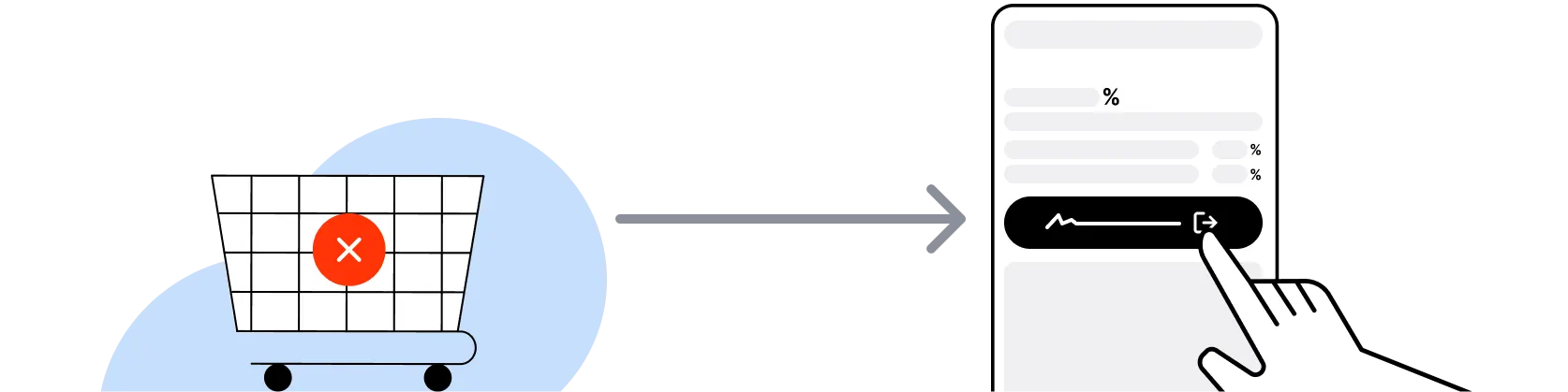
If you encounter payment errors during your purchase, you should restart your visit to the Iolo VPN from this platform to ensure that your Cashback continues to be tracked.
Iolo VPN can only confirm to us that a transaction is recorded if you accept all cookies that appear on their pages.
Shop and earn at similar stores
iolo on ShopBack
How do I get a discount on iolo?
Apply the best iolo promo code or card offer you qualify for, then go through ShopBack before you pay, where ShopBack Cashback works like a discount on the same order, only easier than a promo code. There is nothing to find or type, it does not use up your one iolo promo code, and it still lowers the price when no code is running. Part of what you pay comes back as Cashback: check the rate shown on ShopBack's iolo page before you buy.
What is iolo and what products does it sell
iolo technologies, LLC is a US consumer security and PC utility software company founded in 1998 and headquartered in the United States, so pick your suite, then buy through ShopBack before you pay, where ShopBack Cashback works like a discount, only easier than a promo code. The product catalog spans PC optimization and tune-up (System Mechanic, System Mechanic Pro, System Mechanic Ultimate Defense), antivirus and malware remediation (Malware Killer, System Shield), privacy and anti-tracking (Privacy Guardian), password management (ByePass), file recovery (Search and Recover), and a consumer VPN (iolo VPN) typically bundled into the top-tier Ultimate Defense suite or sold as a standalone subscription. iolo's flagship System Mechanic brand has shipped since the early 2000s and is one of the long-running Windows PC optimization suites. Subscriptions sold at iolo.com direct run on annual, 2-year and 3-year billing cycles with first-term pricing typically discounted versus auto-renewal pricing.
iolo System Mechanic tiers explained
iolo publishes three System Mechanic tiers. System Mechanic is the base tier for PC tune-up, junk file cleanup, startup optimization, and registry maintenance across unlimited home PCs on a single household license. System Mechanic Pro adds Search and Recover file recovery and System Shield antivirus to the base feature set. System Mechanic Ultimate Defense is the top tier bundling Privacy Guardian anti-tracking, Malware Killer scan-and-remove, ByePass password manager, Online Privacy Guardian VPN access, and the full System Mechanic Pro feature set under one subscription. Ultimate Defense is typically the stronger per-dollar pick for users who would otherwise pay for a separate VPN plus password manager plus antivirus. First-term pricing is typically discounted versus the standing renewal rate. Go through ShopBack before you pay and part of what you spend comes back as Cashback.
iolo VPN standalone subscription versus the Ultimate Defense bundle
iolo VPN is available as a standalone subscription and as a bundled component of System Mechanic Ultimate Defense. For users who only need the VPN (no PC tune-up, no antivirus, no password manager), the standalone subscription is the cleaner pick. For users who want a Windows PC tune-up suite plus an antivirus plus a password manager plus a VPN on one invoice, Ultimate Defense is typically cheaper than buying each product category separately from different vendors. iolo VPN itself provides encrypted traffic routing with servers across multiple regions, standard AES encryption, and multi-device simultaneous connection support (specific device cap varies by tier). If you already pay for a separate antivirus (Microsoft Defender, Malwarebytes, Bitdefender) and a separate password manager (1Password, Bitwarden), lean iolo VPN standalone; if you want the bundle, Ultimate Defense is the all-in-one route. On either path, go through ShopBack before you pay and part of what you spend comes back as Cashback; the live rate is on the ShopBack iolo page.
iolo renewal pricing versus first-term pricing
iolo subscriptions typically bill at a discounted first-term rate (often 50 to 70 percent off standing renewal pricing) with auto-renewal set to the standing rate unless the user manages the subscription in-account before the renewal date. The pattern is common across the US consumer security software category (McAfee, Norton, Avast, Avira, Panda all follow a similar first-term versus renewal gap). The practical lever: set a calendar reminder 30 days ahead of the renewal date, log in to the iolo account, choose whether to accept the standing rate, downgrade a tier, or shop a fresh promotional offer. If you prefer to re-shop every term, buy a shorter 1-year term; if you prefer set-and-forget, lock a 2-year or 3-year term at launch pricing. Go through ShopBack before you pay and part of what you spend comes back as Cashback.
iolo money-back guarantee and return policy
iolo publishes a 30-day money-back guarantee on new consumer subscriptions bought from iolo.com direct, covering a refund request filed within 30 days of the initial purchase. The guarantee applies to the initial paid subscription, not to auto-renewal charges applied after the first term closes. To request a refund, contact iolo customer support through the account dashboard with the order confirmation; refunds typically process back to the original payment method within one to two billing cycles. Check the current money-back terms on iolo.com before purchase, since the window and conditions can change between product generations.
iolo System Mechanic Windows system requirements
System Mechanic and the Ultimate Defense suite are Windows-only products supporting Windows 11 and Windows 10 on 32-bit and 64-bit editions, with roughly 100 MB of free disk space and modest RAM requirements. iolo VPN as a standalone subscription has broader platform support including Windows, macOS, iOS, and Android apps for the VPN client specifically, so VPN-only buyers on a Mac or iPhone can still use the service. Password manager (ByePass) and anti-tracking (Privacy Guardian) coverage is tied to Windows under the Ultimate Defense bundle; Mac and mobile users looking for parallel coverage typically mix in Bitwarden plus Firefox Multi-Account Containers or similar. Verify the current OS matrix on iolo.com's system requirements page before purchase.
iolo Black Friday and Cyber Monday 2026
iolo typically runs sitewide percentage-off promotions during Black Friday week and Cyber Monday, with headline discounts on 1-year, 2-year and 3-year System Mechanic Ultimate Defense subscriptions and on standalone iolo VPN subscriptions. The holiday window typically carries the deepest first-term pricing of the year on the top-tier Ultimate Defense bundle. Secondary windows are Independence Day, Labor Day, end-of-year clearance and periodic sitewide flash days through the year. For a multi-year lock, Black Friday through Cyber Monday is the window; for a 1-year trial-term lock, a mid-year flash day typically matches. During these sales, the sale price is what you pay at checkout. Going through ShopBack before you pay is an essential step, and part of what you spend comes back as Cashback. Check the rate shown on ShopBack's iolo page before you buy. For a deeper look, see US 2026 Sale Calendar: Memorial Day to Black Friday and Cyber Monday.
iolo VPN versus NordVPN and ExpressVPN for US buyers
NordVPN and ExpressVPN are the two VPN-pure-play category leaders with the deepest server coverage, independent audit history, and the strongest streaming-service unblocking track record. iolo VPN competes on bundle pricing when combined with System Mechanic Ultimate Defense, delivering a PC tune-up suite plus antivirus plus password manager plus VPN at a lower combined per-year rate than buying each category standalone. For a VPN-first use case (frequent travel, streaming service region switching, torrenting, max server variety), NordVPN or ExpressVPN typically wins on raw capability. For a one-invoice all-in-one Windows PC security plus VPN bundle, iolo Ultimate Defense is the practical pick. Go through ShopBack before you pay and part of what you spend comes back as Cashback; each merchant's ShopBack page shows the live rate. See our NordVPN annual versus monthly comparison for pure-play VPN pricing context.
How do I earn ShopBack Cashback on iolo?
Go through ShopBack before you pay and the Cashback tracks to your ShopBack account: sign in to ShopBack US, open the iolo page and click through to iolo.com to buy. On your phone, open iolo from the ShopBack app and finish the order there. For repeat buyers on desktop, the ShopBack Cashback Buddy browser extension can activate Cashback on supported stores. The live rate is shown in the rate table at the top of this page.
Last updated: 19 Oct 2026


